FreeFlow guide · 01
Workouts
Choose a training focus, refine the session and train with a plan that fits your equipment and time.
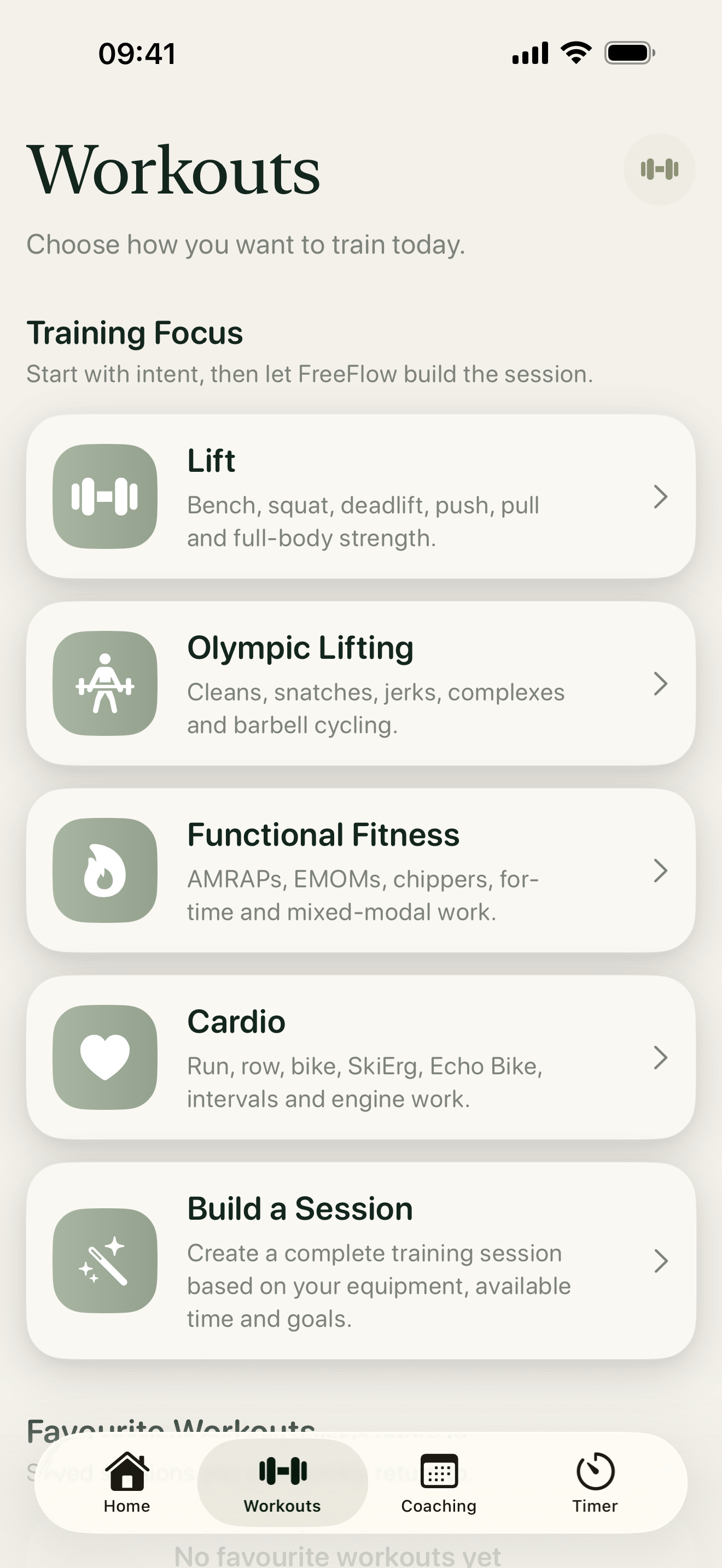
1. Set your equipment
Tap the small dumbbell button beside the Workouts title. Select what you can use, then save your equipment profile. FreeFlow uses this profile when generating workouts, so review it whenever your training space changes.
2. Choose how to train
Choose Lift, Olympic Lifting, Functional Fitness or Cardio. Each route takes you through a short set of relevant choices before generating a session. Choose Build a Session when you want to combine training elements around your time, equipment and goal.
3. Follow the workout
Your generated session separates warm-up, main work and other selected sections into clear cards. Tap a movement for its written guide and, where available, an instructional video. A clock beside a timed section opens its optional timer.
4. Record what you did
Use a movement’s log control to record sets, reps, load and notes as you train. When finished, tap Complete Workout, enter any overall result requested and save it. Your completed session then appears in Coaching and contributes to your progress.
If you want to return to a generated session, tap its heart to add it to Favourite Workouts.